Microsoft Word Online- A Comprehensive Review of the Free Web-Based Editor
Read our in-depth review of Microsoft Word Online. Learn about its features, collaboration tools, file compatibility, and how it compares to the desktop version.
Introduction: The Power of Word, Anywhere
For decades, Microsoft Word has been the undisputed king of word processing. It is the standard tool for students, professionals, and writers around the world. But what if you need to work on a document from a computer without the software installed? What if you need to collaborate with colleagues in real-time? Microsoft Word Online is the answer. This free, browser-based version of the classic tool brings the core Word experience to the cloud, allowing you to create, edit, and share documents from any device with an internet connection.
What is Microsoft Word Online?
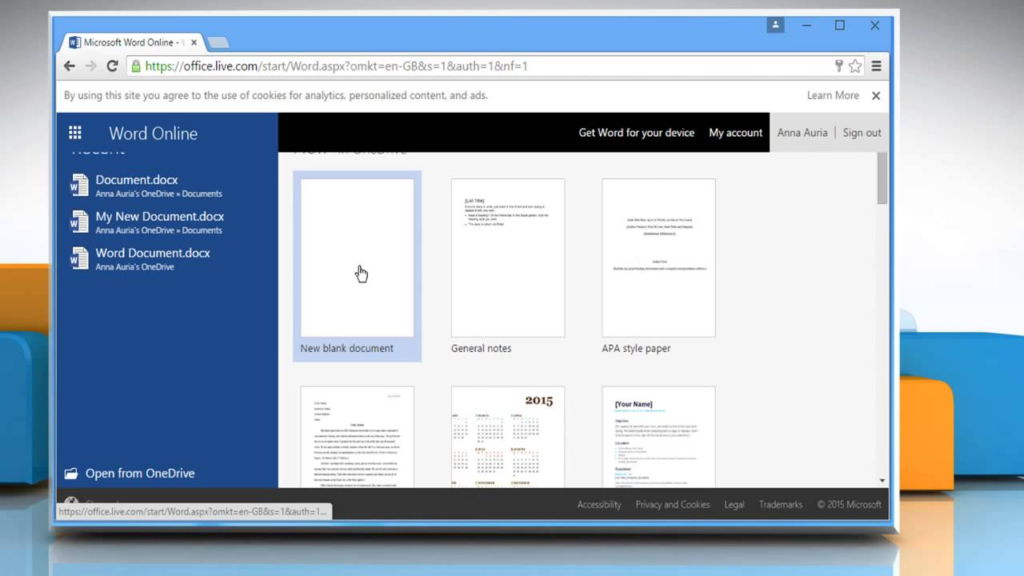
Microsoft Word Online is a free, web-based version of the popular Microsoft Word desktop application. It is part of the Microsoft 365 (formerly Office) suite and allows users to create, edit, and collaborate on documents without the need to install any software.
Designed for maximum accessibility, it runs entirely in your web browser and is accessible from any major operating system. All you need is a free Microsoft account (Outlook, Live, or Hotmail) to get started, making it a powerful and convenient tool for anyone seeking a reliable online word processor.
Key Features of Microsoft Word Online
A Familiar and Clean Interface
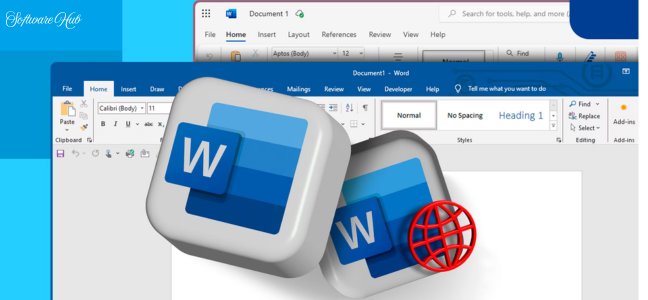
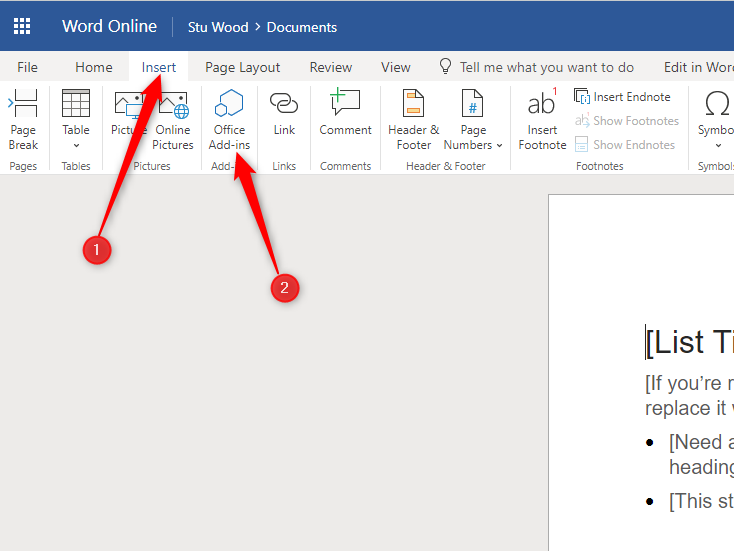
The first thing you will notice is how familiar it feels. The interface is designed to closely mirror the traditional Microsoft Word desktop application. The ribbon menu, the layout, and the basic tools are all in familiar places.
- Streamlined Design: While it doesn’t have every single button and option, the essential tools are easy to find.
- Minimal Learning Curve: If you have used the desktop version, you will feel productive immediately. If you are new to Word, the online version offers a clean and straightforward way to learn.
Seamless Real-Time Collaboration
One of the most powerful features is the ability to collaborate in real-time.
- Co-Authoring: Multiple people can work on the same document at the same time.
- See Changes Instantly: You can see edits from collaborators as they happen.
- Commenting: Leave comments, reply to others, and have threaded discussions directly within the document.
- Track Changes: An essential feature for editors and reviewers, this allows you to see exactly what has been changed and accept or reject those changes.
Automatic Cloud Saving
Microsoft Word Online saves your work automatically to OneDrive. This provides several benefits:
- Never Lose Work: No need to manually save; your work is saved to the cloud as you type.
- Access Anywhere: Your documents are accessible from any device.
- Version History: You can view and restore previous versions of your document.
Broad File Format Compatibility
The online version supports a wide range of file formats to ensure seamless integration with your existing workflows:
- Open and Edit: It can open and edit popular formats like
.doc,.docx,.dotx, and.odt. - Save As: You can save your work in various formats, including the standard
.docxand the universal.pdffor easy sharing. - Integration: This compatibility ensures you can share files with colleagues using the desktop suite without any issues.
Microsoft Word Online vs. The Desktop Application
While the web version is incredibly powerful, there are important differences between it and the paid desktop application.
Pros of the Online Version
- Free: It is completely free to use with a Microsoft account.
- Accessible: Use it on any computer with a browser, no installation needed.
- Real-Time Collaboration: The collaborative features are very robust and seamless.
- Cloud Storage: Automatic saving to OneDrive provides peace of mind.
- Always Updated: You always have the latest version of the software.
Pros of the Desktop Version
- Full Feature Set: The desktop app includes a wide array of advanced features, such as complex macro support, more sophisticated equation tools, and highly granular formatting options.
- Offline Access: It does not require an internet connection to use.
- Better Performance: For very large documents or complex tasks, the desktop application may be faster.
In Summary: When to Use Which
- Microsoft Word Online is ideal for quick edits, simple documents, collaborative work, and when you are away from your primary computer.
- The Desktop Application is necessary for complex document formatting, advanced data analysis, or when you need to work without an internet connection.
Who Is Microsoft Word Online For?
Students
For taking notes, writing essays, and working on group projects, Microsoft Word Online is a powerful, free, and collaborative tool that is perfect for academic work.
Professionals
For collaborating on reports, sharing documents with colleagues, and working remotely, the real-time co-authoring and cloud storage are invaluable.
Anyone on the Go
If you often find yourself needing to edit a document from a different computer, the browser-based accessibility makes it an ideal solution.
Frequently Asked Questions (FAQs)
1. Is Microsoft Word Online really free?
Yes, Microsoft Word Online is completely free to use. All you need is a free Microsoft account (like an Outlook, Live, or Hotmail account). A Microsoft 365 subscription is not required.
2. Does Microsoft Word Online work without an internet connection?
No, Microsoft Word Online requires an active internet connection to work. For offline editing, you would need the paid Microsoft Word desktop application.
3. Can I collaborate with others in real-time?
Yes, real-time co-authoring is one of the most powerful features. Multiple people can edit the same document simultaneously and see changes instantly.
4. Does the web version have all the same features as the desktop app?
No, the web version is designed for basic to intermediate needs. It lacks some of the more advanced features found in the paid desktop application, such as complex macros and detailed equation tools.
5. What file formats can I open with Microsoft Word Online?
It supports a wide range of formats, including the standard .doc and .docx, as well as .dotx, .odt, and you can export your files as a .pdf.
Conclusion: A Powerful and Accessible Tool
Microsoft Word Online successfully delivers the core Microsoft Word experience in a lightweight, zero-installation package. It is a powerful, free, and incredibly convenient word processor that is perfect for everyday tasks. Its broad accessibility, seamless cloud integration, and excellent real-time collaboration features make it a standout tool for anyone who needs to create and edit documents in the modern, connected world. While it may lack some of the deeper capabilities of its desktop sibling, it excels at what it is designed to do: provide a reliable and accessible word processing solution for the cloud era.