DriverPack Solution Review- The Pros and Cons of This Popular Driver Updater
Read our comprehensive review of DriverPack Solution. Learn about its features for automatic driver installation, the risks of bundled software, and if it’s safe to use.
Introduction: The Driver Dilemma
Keeping your computer’s drivers up-to-date is essential for stability, performance, and security. But manually hunting down the correct driver for every component—from your graphics card to your network adapter—can be a tedious and time-consuming process. DriverPack Solution positions itself as the answer to this problem, offering a free tool that automates the entire process. This review explores what DriverPack Solution does, the convenience it offers, and the significant concerns that users should be aware of before installing it.
What is DriverPack Solution?
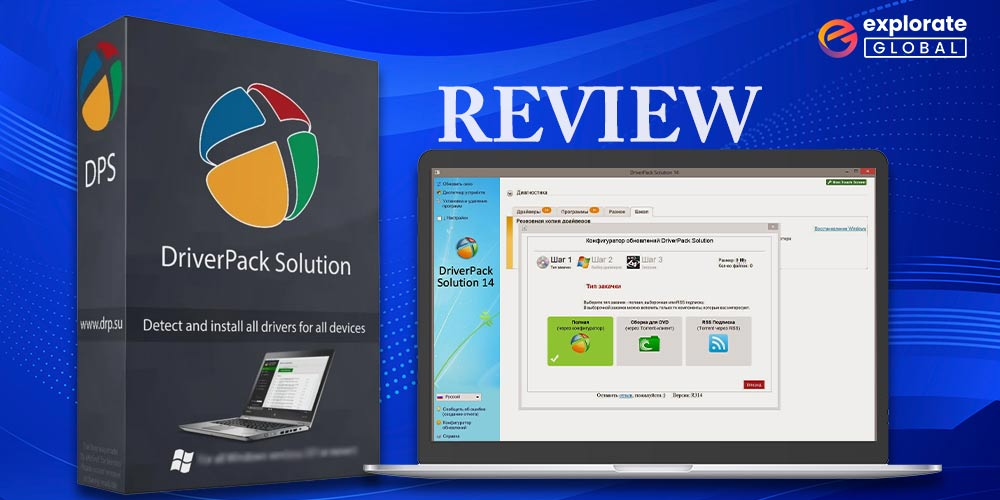
DriverPack Solution is a free utility designed to simplify the management of drivers on Windows operating systems . Created by Russian developer Artur Kuzyakov in 2008, it has evolved from a small project into a widely used tool, particularly for setting up new systems or repairing old ones .
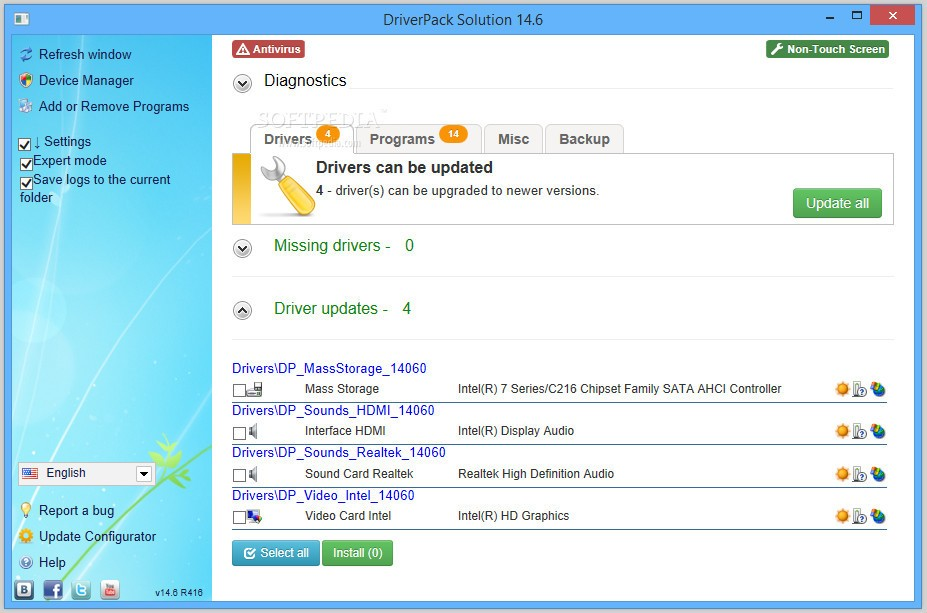
The software works by scanning your computer, identifying your hardware, and comparing it against an extensive online database of drivers . It then presents you with a list of missing or outdated drivers and can install them all with a single click. It supports a vast range of hardware, including video cards, network adapters, sound cards, chipsets, printers, webcams, and more .
This automation is its primary strength, making it an attractive option for both novice users who are uncomfortable with manual driver installation and IT professionals who need to manage multiple systems efficiently .
Key Features and Modes of Operation
Core Functionality
- Automated Scanning and Detection: The software automatically identifies your system’s hardware components and determines which drivers are missing or outdated .
- Massive Driver Database: It boasts one of the largest driver databases in the world, with over a million driver entries . This broad coverage increases the likelihood of finding the correct driver for almost any piece of hardware.
- Batch Installation: It allows for one-click installation of all necessary drivers, saving considerable time .
Different Versions for Different Needs
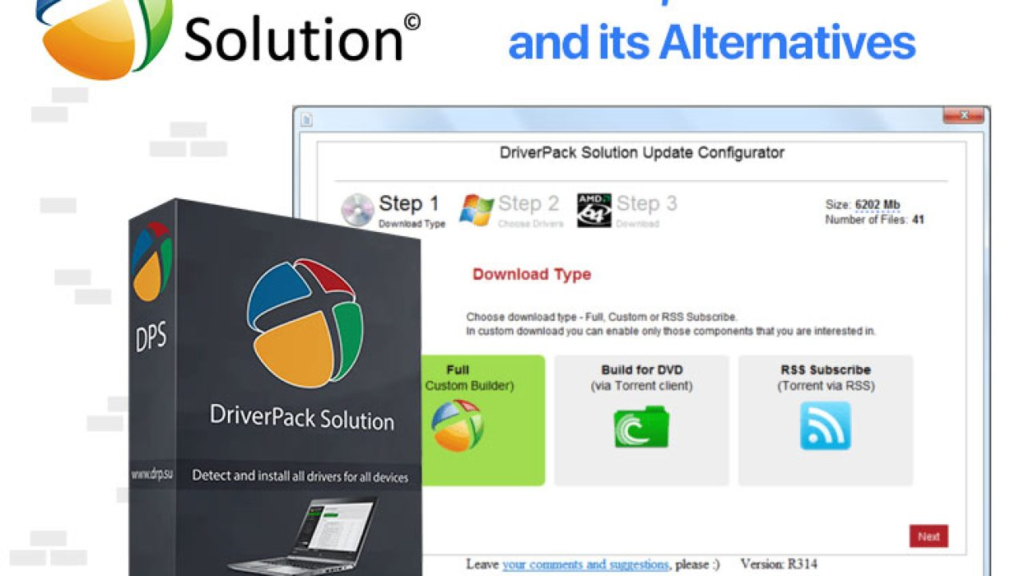
DriverPack Solution is available in several versions to suit various scenarios:
- Online Version: This is a lightweight installer that requires an internet connection. It downloads only the specific drivers you need, making it the most practical choice for most users .
- Offline Version: This is a massive package (often over 40 GB) that contains drivers for virtually all hardware . It is designed for computers without internet access, allowing you to set up a system from scratch. IT professionals often store this on a USB drive .
- Network Version: A smaller offline package focused on network drivers, enabling you to get a system online so the remaining drivers can be downloaded .
Express Mode vs. Expert Mode
- Express Mode: This is the default, user-friendly mode. It automates the entire process, handling the download and installation of all recommended drivers without requiring any input from you. This is ideal for beginners .
- Expert Mode: This mode provides more control, allowing you to select which specific drivers to install or skip. It also offers a list of recommended third-party software, which you can choose to include or exclude .
The Major Concerns: Safety, Bloatware, and Reputation
Despite its convenience, DriverPack Solution has a controversial reputation. Several significant issues have been consistently reported by users and security experts.
Bundled Software (Bloatware)
The most common criticism is that DriverPack Solution attempts to install additional, unwanted software during the driver installation process. Users have reported it installing web browsers like Google Chrome and Opera, as well as other utilities, often without providing a clear opt-out option . This practice, sometimes referred to as bundling bloatware, is a major source of frustration and can slow down your system.
Security Warnings and Malware Flags
Many antivirus programs flag DriverPack Solution or its installer as a Potentially Unwanted Program (PUP) or even malware . While the core driver database itself might be legitimate, the installer’s behavior and the bundled software trigger security warnings. Some sources even compare the latest versions to trojans, citing difficulties in uninstalling the program and its bundled additions . Users are often instructed to temporarily disable their antivirus during installation, which is a significant red flag for security-conscious individuals .
Licensing and Open-Source Controversy
The developers claim DriverPack Solution is distributed under the GNU GPL v2 open-source license . However, the program’s license text has been found to contradict the terms of the GNU GPL, and the source code has never been published . This raises serious questions about the project’s compliance with open-source standards and its overall transparency.
Who Is DriverPack Solution For?
Given the risks, DriverPack Solution is not a tool for everyone. It is best suited for:
- Experienced Users: Those who are comfortable identifying and unchecking boxes for bundled software during installation and are aware of the potential risks.
- IT Professionals: Users who are deploying systems in bulk and understand the tool’s quirks, using it in controlled environments where they can manage the installation process .
- Desperate Users: Those facing a system that is completely non-functional due to missing drivers and have no other way to get online or find the correct files. In this scenario, the convenience may outweigh the risks.
Frequently Asked Questions (FAQs)
1. Is DriverPack Solution free to use?
Yes, the basic driver scanning and installation functionality is completely free. However, be aware that the installer may attempt to install additional, bundled software .
2. Is DriverPack Solution safe?
The tool itself has a mixed reputation. While it can successfully install drivers, many security programs flag it as a PUP. Its primary risk lies in its tendency to install unwanted bloatware without clear consent .
3. What is the difference between the Online and Offline versions?
The Online version is a small installer that downloads only the drivers you need from the internet. The Offline version is a very large file (over 40 GB) that contains a full driver database for installation without an internet connection .
4. What is “Expert Mode” in DriverPack Solution?
Expert Mode gives you more control over the installation process. It allows you to manually select which drivers to install and, crucially, which pieces of recommended third-party software to include or exclude .
5. Why do antivirus programs flag DriverPack Solution?
Antivirus programs often flag the installer because of its aggressive bundling of third-party software (bloatware) and its history of attempting to install programs without clear consent, leading it to be classified as a Potentially Unwanted Program (PUP) .
Conclusion: A Convenient Tool with a Cost
DriverPack Solution is undeniably a powerful and convenient tool for managing drivers, capable of saving significant time and effort. Its vast database and automated process are major draws. However, this convenience comes with a considerable cost: the risk of installing unwanted bloatware, potential security flags, and a controversial reputation. It is not a tool to be used without caution. If you choose to use it, carefully review every screen during installation, prefer the “Expert Mode” to control what is installed, and be prepared to uninstall any unwanted programs it may add. For most users, safer, more transparent alternatives may be a better choice.