Anvi Folder Locker Free – Basic File and Folder Security
In our increasingly digital world, the security of our personal and professional data has become paramount. We store everything from family photos and financial records to sensitive business documents and confidential project files on our computers. Yet, the default security offered by operating systems often falls short of what users need, especially when we share our devices or want to add an extra layer of protection to specific files and folders.
The fear of unauthorized access, whether from a family member using your computer, a colleague glancing at your screen, or a malicious actor gaining physical access to your device, is entirely valid. The solution to this modern problem is not necessarily complex or expensive. Sometimes, a simple, focused utility that allows you to lock, hide, or encrypt your sensitive data is exactly what you need.
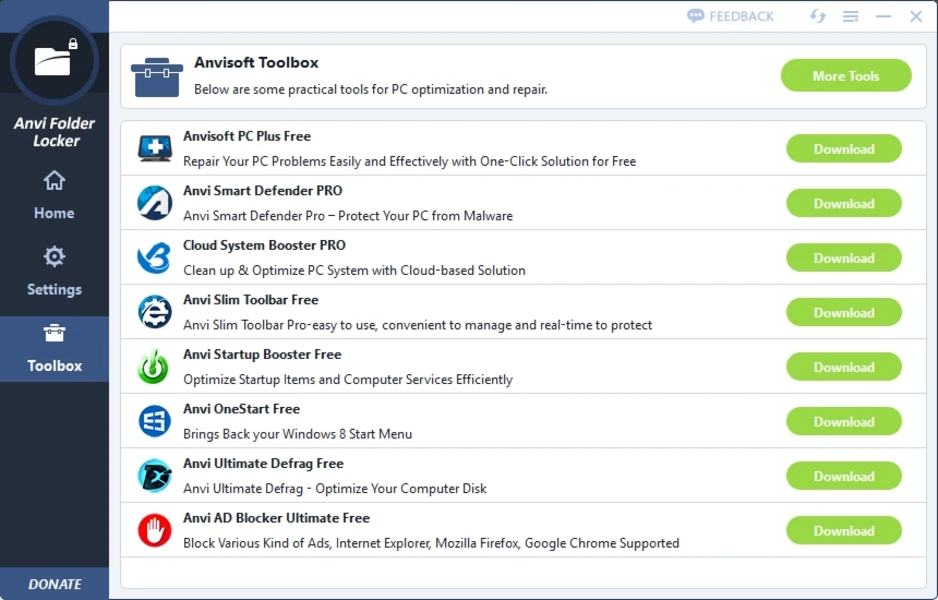
Anvi Folder Locker Free is a utility that aims to fill this gap. It provides a straightforward and free method for securing files and folders on your Windows PC. This comprehensive guide will explore everything about Anvi Folder Locker Free, from its core features and ease of use to its limitations and how it compares to other security tools. If you’ve ever needed to quickly restrict access to sensitive files without diving into complex operating system settings, this tool might be the solution you’re looking for.
What Is Anvi Folder Locker Free?
Anvi Folder Locker Free is a security application designed for Windows that allows users to protect their sensitive files and folders from unauthorized access. It is a free tool that provides a simple and effective way to apply various security measures to selected data, including hiding, locking, and encryption . The software aims to make data protection accessible to all users, regardless of their technical expertise, by offering a straightforward interface and quick access through Windows Explorer .
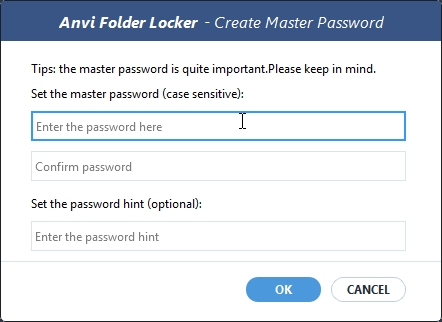
At its core, the software operates by allowing you to set a master password upon initial setup . This master password then controls access to the program and its protected items, serving as the primary key for all operations . This simple but effective design ensures that only you can manage the security status of your protected data.
Who Is Anvi Folder Locker Free For?
Anvi Folder Locker Free is designed for a broad range of users who want to add an extra layer of security to their data without the complexity of enterprise-grade solutions.
Home Users: Anyone who shares a computer with family members can benefit from this software. It allows you to lock away personal files, financial documents, and private photos, ensuring that others using your device cannot accidentally or intentionally access them.
Students: Students can use the software to protect their academic work, research materials, and personal information from curious classmates or roommates. It provides a simple way to keep their projects private.
Small Business Owners and Freelancers: Professionals working from home can use Anvi Folder Locker Free to secure client documents, invoices, and sensitive business data on their local drives. The software’s ability to lock specific folders ensures that confidential information remains protected even if a device is temporarily shared.
Travelers: For those who travel with a laptop, the risk of physical theft is a real concern. Encrypting sensitive folders provides an additional layer of security, ensuring that even if the device falls into the wrong hands, the data remains inaccessible.
Casual Users: For anyone who simply wants to prevent casual browsing or accidental deletion of important files, the software offers a quick and easy solution. It is perfect for hiding personal photos or organizing confidential files without requiring advanced system configuration.
Key Features and Capabilities
Anvi Folder Locker Free provides a set of core features designed to give users control over the security of their files and folders. While it may not offer the advanced features of more expensive security suites, it covers the essential bases for basic data protection.
Multiple Protection Methods
The software offers three distinct methods of protection, allowing users to choose the level of security that best suits their needs:
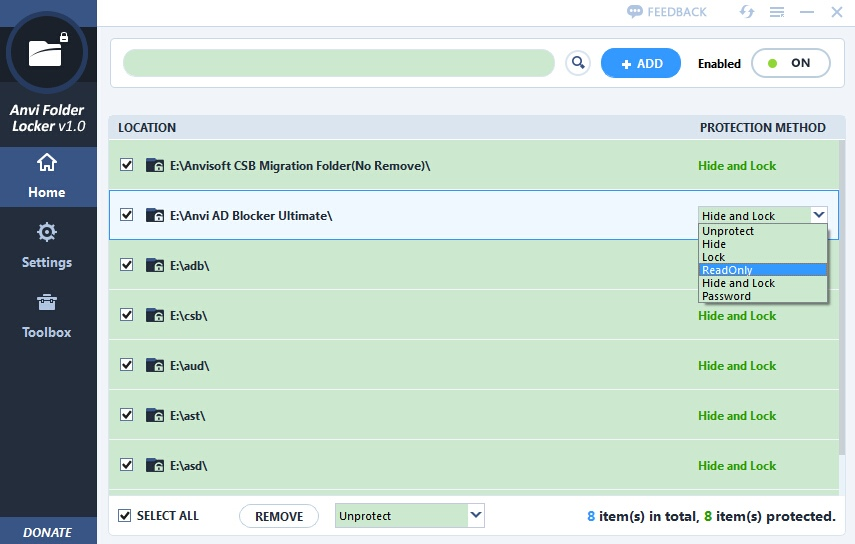
- Hide: This option makes selected files and folders invisible within the Windows file system . While this provides a basic level of security by obscuring data, it is not encryption. A tech-savvy user could potentially find hidden files by changing system settings. However, for casual users sharing a computer, this is a quick and effective way to keep data out of sight.
- Lock: Locking an item prevents it from being opened, modified, moved, or deleted without the correct password . This is a practical solution for preventing unauthorized changes to important documents or program files. When someone tries to access a locked folder, they are prompted for a password.
- Encrypt: Encryption is the highest level of protection offered . It converts selected data into an unreadable format, making it impossible for anyone without the correct password to access the contents. This is the most secure method, ensuring that even if a file or drive is physically stolen, the data remains protected.
Master Password and Individual Passwords
Upon first launching the application, users are required to set a master password . This central password is then used to open the application and manage all secured items. This means that to change the security status of any file or folder, or to even access the program’s interface, you must enter this master password.
For users who need more granular control, Anvi Folder Locker Free also allows the use of individual passwords for specific locked or encrypted files and folders . This is a key feature for users who want to share access to one folder but not another. For example, you could have a shared folder for family photos with a different password than your personal financial documents, allowing you to grant access to family members without compromising your entire collection.
Windows Context Menu Integration
A significant feature of Anvi Folder Locker Free is its integration into the Windows shell context menu . This means that when you right-click on a file or folder in Windows Explorer, you will see options to quickly lock, hide, or encrypt that specific item. This integration simplifies the process of applying security, eliminating the need to open the main application to secure new data.
Simple Interface and Management
The main window of the application presents a minimal design that lists all protected files and folders . From this central hub, you can view the current status of each item—whether it is hidden, locked, or encrypted—and easily manage them. The interface also provides clear options to unlock, unhide, or decrypt data, making the management of protected items straightforward.
Pros of Using Anvi Folder Locker Free
It’s Free and Simple: The most significant advantage is that it’s completely free and offers a very straightforward user experience . Its focus on core functionality without unnecessary complexity makes it accessible for users of all skill levels.
Quick Access: The integration with the Windows context menu allows users to apply protection to files and folders in just a few clicks. This speed and convenience are major draws for users who need to secure data on the fly.
Multiple Security Options: The ability to choose between hiding, locking, and encrypting provides flexibility. Users can decide the level of security they need for different types of data.
Individual File/Folder Passwords: The option to assign individual passwords to different protected items adds a layer of granular control that is not always found in free software.
No Cloud Dependency: The software focuses on offline, local file management . It does not upload your files to the cloud, ensuring that your data remains under your direct control.
Cons and Limitations
Basic Security Only: While effective for casual and home users, the encryption and locking mechanisms may not meet the rigorous security standards demanded by businesses or for highly sensitive government data . The encryption algorithm, while functional, may not be as robust as specialized enterprise-grade tools.
No Cloud Synchronization: The lack of cloud integration can be seen as a limitation for users who want their secured data to be synced across devices . This means your protected items are tied exclusively to the local drive on which they are secured.
No Advanced Features: The software focuses narrowly on file and folder protection. It does not offer advanced logging, alerts, or integration with cloud services . Power users may find the lack of detailed features limiting.
Potential for Vulnerabilities: As with any security software, there is always a potential for vulnerabilities. The strength of the protection ultimately depends on the password you choose and the underlying implementation of the software.
Alternatives to Anvi Folder Locker Free
For users looking for more advanced features or a different approach to data security, several alternatives exist.
VeraCrypt: This is a powerful open-source disk encryption software. It is a more complex tool than Anvi Folder Locker Free, but it offers robust security by creating encrypted volumes that act like virtual drives. It is a good choice for users who want to encrypt entire partitions or create secure containers for their sensitive data.
BitLocker (Built-in Windows): For users running Windows Professional or Enterprise editions, BitLocker Drive Encryption is a built-in tool that can encrypt entire drives. It is a highly secure solution tightly integrated into the operating system. However, it may not be as user-friendly for securing individual folders as Anvi Folder Locker Free.
File Explorer’s Built-in Encryption: Windows has a built-in encryption feature (EFS – Encrypting File System) that allows you to encrypt files and folders. However, it requires a specific Windows edition and can be cumbersome to set up and manage.
Frequently Asked Questions (FAQs)
1. Is Anvi Folder Locker Free completely free to use?
Yes, Anvi Folder Locker is completely free software. There is no cost to download, install, or use its core features for protecting your files and folders. It is designed to be accessible to all users.
2. How does Anvi Folder Locker Free protect my data?
The software protects your data using three main methods: Hiding (making items invisible), Locking (preventing access, modification, or deletion), and Encrypting (converting data to an unreadable format). All of these methods are protected by a password.
3. Can I set different passwords for different folders?
Yes, while a master password is required to open the application, you have the option to set individual passwords for specific locked or encrypted files and folders. This allows you to provide different access rights to different people.
4. Does Anvi Folder Locker Free affect my computer’s performance?
The software is designed to be a lightweight application that has minimal impact on system performance. The active security measures only take effect when you attempt to access a protected item, so it does not constantly consume significant system resources.
5. Is it safe to rely on Anvi Folder Locker Free for sensitive data?
Anvi Folder Locker Free provides a solid layer of security for casual use, home users, and small businesses. However, for highly sensitive data or enterprise-level security requirements, it is recommended to use more robust, specialized encryption tools like VeraCrypt or BitLocker.
Conclusion
Anvi Folder Locker Free offers a practical and accessible solution for users who need to quickly and easily secure their files and folders on a Windows PC. Its simple design, right-click integration, and the availability of multiple protection methods (hide, lock, and encrypt) make it a user-friendly tool for basic data protection.
While it lacks advanced features like cloud synchronization, detailed logging, or integration with enterprise security systems, its focus on simplicity and speed makes it an ideal choice for home users, students, and small business owners who want to prevent casual browsing, accidental changes, or basic unauthorized access to their sensitive information.
As with all security tools, the effectiveness of Anvi Folder Locker Free ultimately depends on user behavior. A strong master password and a conscious approach to data security are essential for deriving maximum benefit from the software. For everyday use, Anvi Folder Locker Free serves as a reliable guardian of your digital privacy, ensuring that your private files remain private.