Movie Downloader Review- A Versatile Multimedia Download Tool
Read our comprehensive review of Movie Downloader. Discover its bulk download capabilities, file format limitations, and if it’s the right tool for your multimedia needs.
Introduction: Simplifying the Multimedia Download Process
In an age where streaming dominates, there are still many reasons to want a local copy of your favorite videos. Whether you’re planning a trip without reliable internet, want to archive content, or simply prefer offline viewing, a good downloader is essential. Movie Downloader aims to simplify this process by offering a bulk-downloading tool that works directly from websites. This review explores its features, limitations, and overall value.
What is Movie Downloader?
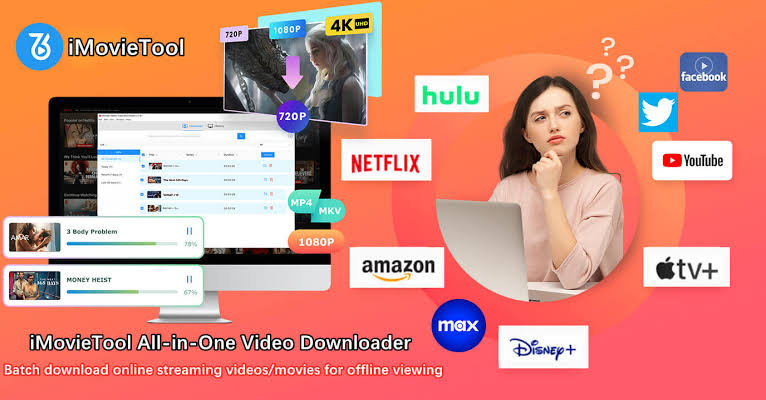
Movie Downloader is a Windows multimedia software designed to download movies, music, and photos directly from websites . Unlike many downloaders that require you to find and paste a specific video URL, this application works differently. Instead, you provide it with a website link, and it automatically searches the page for downloadable files .
The tool is built for efficiency, allowing users to download multiple files from a single website in one go. This “search and batch download” approach is its defining feature, appealing to users who want to save time by not having to manually find each file’s URL.
Key Features of Movie Downloader
Bulk Download Functionality
The primary strength of Movie Downloader is its ability to perform bulk downloads . By simply inputting a website URL, the software scans the page and lists all the downloadable media it finds, including videos, audio files, and images. This means you can potentially download entire collections of files with a single search.
Automated File Search
The software automates what can be a manual and tedious process. Instead of inspecting a website’s source code or looking for individual download links, Movie Downloader does the heavy lifting for you, compiling a list of available files .
Simple and Lightweight Interface
The user interface is straightforward and easy to navigate, described as reminiscent of early 2000s design . It’s a lightweight tool that lacks bloatware, focusing on its core function of downloading . The simple design makes it accessible for users who want a no-frills downloading experience.
Limitations and Drawbacks
Limited File Format Support
A significant limitation is the restricted range of file formats the program can handle . The software is limited to specific file types:
- Video: AVI and MPEG
- Audio: MP3 and WAV
- Images: GIF and JPEG
This can be a major drawback if you frequently work with more modern or less common formats like MKV, MP4 for high-definition videos, or FLAC for lossless audio.
Dated Design and Functionality
The software’s design and features have not evolved significantly over the years . While the interface is simple, it lacks advanced features found in modern tools, such as robust sorting functions, download scheduling, or integration with popular video platforms. This makes the tool feel dated compared to its competitors.
Privacy and Security Considerations
While the CNET review does not highlight security issues with the software itself, it’s important to note that similar applications, like “All Video Downloader,” have been flagged for potential risks . Downloading files from third-party websites always carries a risk, and users should exercise caution.
Who Is Movie Downloader For?
Users Who Need Bulk Downloads
If you frequently need to download multiple files from a website at once, the bulk search and download feature is a significant time-saver.
Users Who Prefer Simplicity
For those who find other video downloaders too complex or feature-heavy, Movie Downloader’s straightforward, no-frills interface is appealing.
Users with Simple File Format Needs
If your file format requirements are limited to AVI, MPEG, MP3, WAV, GIF, and JPEG, this tool’s limitations might not be an issue.
Alternatives Worth Considering
If Movie Downloader’s limitations are a concern, several alternatives offer more robust features:
Snaptube is a highly versatile app for Android that supports multiple platforms and resolutions, even up to 4K . VidMate functions as a full entertainment suite with multi-threaded downloading and in-app movie suggestions . For Windows users, Freemake Video Downloader is a well-known alternative .

Frequently Asked Questions (FAQs)
1. Is Movie Downloader free to use?
Yes, Movie Downloader is a free tool. However, it is a shareware application .
2. What file formats does Movie Downloader support?
It supports limited formats. Videos are limited to AVI and MPEG, audio to MP3 and WAV, and photos to GIF and JPEG .
3. How does Movie Downloader work?
Unlike URL-based downloaders, you provide a website link, and the software scans the page to list all downloadable files .
4. Is Movie Downloader safe to use?
The software itself is described as lightweight and free of bloatware . However, downloading files from any third-party website always carries a risk, so caution is advised.
5. What are the best alternatives to Movie Downloader?
For Android users, Snaptube and VidMate are popular alternatives. For Windows, Freemake Video Downloader is a well-known option .
Conclusion: A Functional Tool with a Niche Purpose
Movie Downloader is a functional and straightforward tool for bulk downloading multimedia files, particularly if your needs are simple. Its key strengths are its ability to automate the search for downloadable content and its lightweight, no-frills interface. However, its extremely limited file format support and dated design make it a niche choice. For users who work with a wider variety of file types or need more advanced features, exploring the many robust alternatives available is highly recommended.