Microsoft .NET Framework 3.5- A Comprehensive Overview
Learn about Microsoft .NET Framework 3.5, a key development platform for Windows. Discover its features, enhancements, and why it remains important for many applications.
Introduction: The Backbone of Windows Applications
If you have ever installed software on a Windows computer, you have likely encountered a message asking you to install or enable the .NET Framework. While it runs silently in the background, the .NET Framework is an essential component that powers countless applications on your system. Specifically, Microsoft .NET Framework 3.5 is a significant version of this platform, providing the foundation for a vast ecosystem of Windows software. This article explores what the .NET Framework 3.5 is, its key features, and why it remains a critical part of the Windows experience.
What is the .NET Framework?
At its core, the .NET Framework is a software development platform created by Microsoft. It provides a controlled programming environment where software can be developed, installed, and executed on Windows-based operating systems. Think of it as the stage and the toolset that developers use to build a wide range of applications, from simple desktop tools to complex web services.
It consists of two main components:
- The Common Language Runtime (CLR): This is the execution engine that manages running code. It provides essential services like memory management, security, and exception handling, making it easier for developers to write stable and secure applications.
- The .NET Framework Class Library: This is a huge collection of pre-built code that developers can use to perform common tasks, such as working with files, connecting to databases, or creating user interfaces. This library saves time and effort by providing tested and reliable code.
Key Features of Microsoft .NET Framework 3.5
.NET Framework 3.5 was a substantial update that introduced many new features and improvements across various components. While a significant focus is on developer productivity, its ultimate goal is to enhance the performance, security, and capabilities of the applications that run on it.
Enhanced Runtime Performance and Security
The Common Language Runtime (CLR) received several important upgrades in version 3.5.
- Improved Startup Performance: Applications built on this framework are designed to start faster, providing a better user experience.
- Enhanced Memory Management: The framework includes automatic Address Space Layout Randomization (ASLR) opt-in, which improves system security by making it harder for malicious code to exploit memory vulnerabilities.
- Optimized Native Images: The layout of native images (pre-compiled code) has been refined, which contributes to overall runtime efficiency.
Web Development with ASP.NET
For web developers, .NET Framework 3.5 introduced powerful tools to build dynamic and data-driven websites more quickly.
- Dynamic Data Scaffolding: This feature allows developers to rapidly create web applications based on a data model. For example, using this, a developer can quickly build an entire site to manage a database of products or customers with minimal code.
- Enhanced AJAX History: AJAX allows web pages to update content without a full page reload. The 3.5 version includes improved history management for AJAX applications, making it easier for users to use the browser’s back button.
Desktop and Graphic Applications
The framework also provided major updates for building Windows desktop applications.
- WPF Enhancements: Windows Presentation Foundation (WPF) is the system for building modern desktop applications with rich visuals. .NET 3.5 added support for DirectX pixel shaders, enabling more advanced and visually stunning graphics.
- Improved Bitmap Performance: Rendering of bitmaps was also optimized, leading to faster and smoother graphics.
- New Controls: The introduction of the WebBrowser control made it easier to embed web browsing capabilities directly into desktop applications.
Data and Service Integration
Modern applications frequently need to connect and share data. .NET 3.5 greatly expanded the capabilities in this area.
- Entity Framework: This is a powerful object-relational mapping (ORM) framework that simplifies database programming. The 3.5 version introduced enhanced graph serialization and better support for SQL Server 2008.
- ADO.NET Data Services Framework: This feature provides a way to create REST-based data endpoints, making it easy to expose data to a wide range of clients, including web browsers and mobile devices.
- LINQ (Language Integrated Query): LINQ allows developers to write queries directly in their programming language (like C# or VB.NET) against data sources like collections, databases, or XML files. Version 3.5 expanded LINQ’s capabilities.
Why is .NET Framework 3.5 Still Important?
You might be wondering why a version released in 2007 is still relevant today. The simple answer is compatibility. Many older applications were specifically built on this version, and they may not function correctly on newer .NET versions without it.
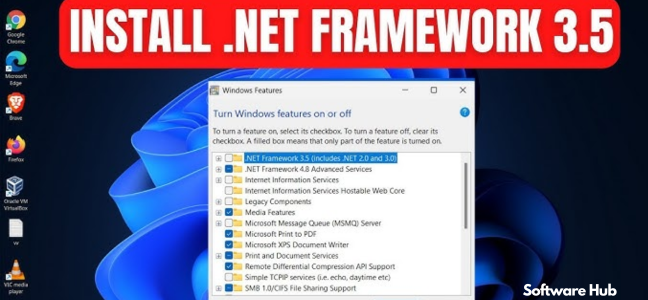
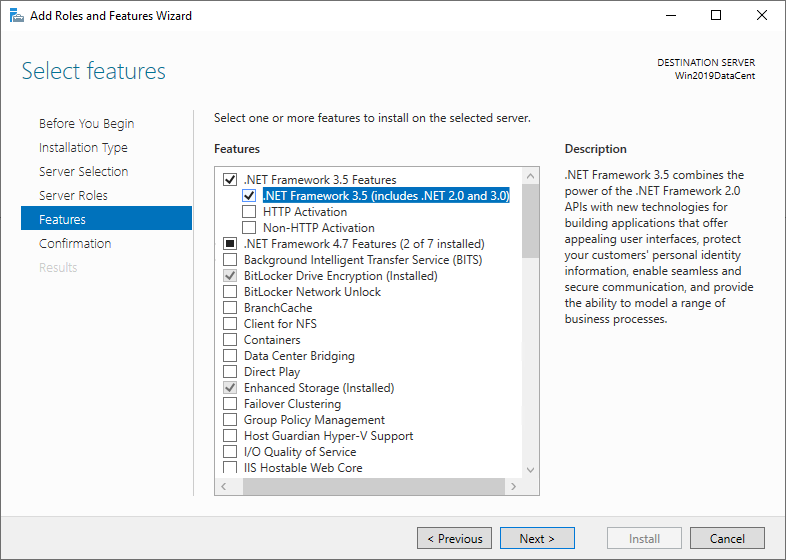
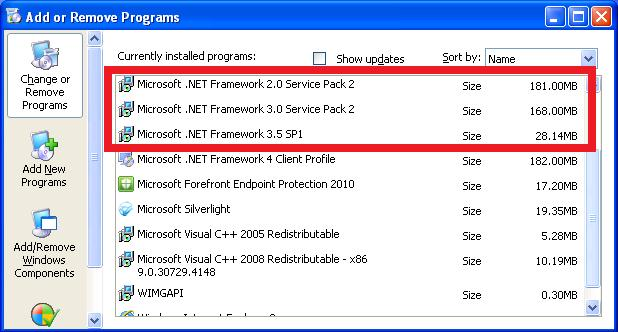
If you try to run an older program that requires .NET Framework 3.5, Windows will often prompt you to install it. This is because while newer versions exist, they are side-by-side installations, not in-place updates. To ensure old software works, you may need to have the correct version of the framework installed on your system.
Frequently Asked Questions (FAQs)
1. What is the .NET Framework 3.5 used for?
The .NET Framework 3.5 is a development and runtime platform used to build and run a wide variety of Windows applications. It provides a library of code and a managed execution environment for software.
2. Is .NET Framework 3.5 the latest version?
No, it is not the latest version. Microsoft has released newer versions, including .NET Framework 4.x and the modern, cross-platform .NET Core/.NET 5+.
3. Do I need to install .NET Framework 3.5?
You likely need to install it if a specific application you want to use requires it. Many older programs depend on this specific version to function correctly.
4. Is it safe to install .NET Framework 3.5?
Yes, it is a safe and official component from Microsoft. It is an essential part of the Windows operating system for many applications.
5. What is the difference between .NET Framework and .NET Core?
.NET Framework is a Windows-only framework for building traditional Windows applications. .NET Core is a modern, cross-platform (Windows, macOS, Linux) framework designed for building cloud-based applications and microservices.
Conclusion
Microsoft .NET Framework 3.5 was a landmark release that brought significant improvements to performance, web development, graphics, and data services. While it has been succeeded by newer versions, it remains a critical component for countless existing applications. Understanding its role helps illuminate why it is still a common presence on Windows systems and why its development has shaped the modern software landscape. It stands as a powerful platform that empowered developers and continues to power applications that many of us rely on every day.