ArcSoft PhotoStudio Paint Review- A Fun and Creative Tool for Kids
Read our comprehensive review of ArcSoft PhotoStudio Paint, a simple and fun painting program for kids. Discover its creative tools, templates, and touch support.
Introduction: Encouraging Creativity in Kids
In a digital age, fostering creativity in children is more important than ever. Art software can be a wonderful tool for self-expression, allowing kids to explore their imagination and develop artistic skills. ArcSoft PhotoStudio Paint is a simple and fun program designed specifically for this purpose. This review explores its features, its target audience, and how it can help children express themselves through digital art.
What is ArcSoft PhotoStudio Paint?
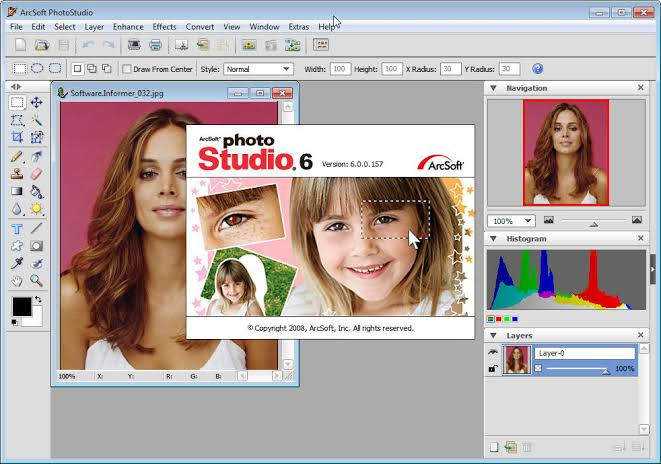
ArcSoft PhotoStudio Paint is a free, easy-to-use painting and drawing program designed primarily for children. It provides a simple and intuitive interface that allows kids to express themselves by drawing, painting, and using a variety of creative elements. The software is designed to be accessible, even for young children, and supports touch and multi-touch devices for a more natural drawing experience.
Key Features of ArcSoft PhotoStudio Paint
Variety of Drawing Tools
The software includes a wide range of drawing and painting tools to spark creativity.
- Basic Tools: Brush, pencil, crayon, and paint bucket for standard drawing and coloring.
- Vivid Image Brush: Works as a customized stamp, allowing you to copy and paste a selected area onto different images.
- Texture Bucket: Applies selected textures to areas of your drawing.
Creative Templates
The program provides templates to guide and inspire young artists.
- Outline Templates: Allows kids to fill in colors on pre-made outlines.
- Dot-to-Dot Templates: Helps kids complete an image by connecting the dots.
Touch and Multi-Touch Support
The software supports touch and multi-touch devices, allowing kids to use the tools as if they were painting on a real canvas.
Clipart and Audio Effects
The program includes moveable and resizable clipart and dynamic audio effects to make the experience more fun.
Community Sharing
You can share the artwork on the PhotoStudio Paint Community.
Who Is ArcSoft PhotoStudio Paint For?
- Children: This is the primary audience. The simple interface and fun tools are perfect for kids.
- Parents: A great way to encourage creativity in children.
- Educators: Can be used as a teaching tool in art classes.
Frequently Asked Questions (FAQs)
1. Is ArcSoft PhotoStudio Paint free to use?
Yes, ArcSoft PhotoStudio Paint is a free program.
2. Is ArcSoft PhotoStudio Paint suitable for adults?
While adults can use it, the software is designed with a simple interface and fun tools aimed at children.
3. Does it work on touch devices?
Yes, the software supports touch and multi-touch devices for a more intuitive experience.
4. What are the key drawing tools?
The key tools include brush, pencil, crayon, paint bucket, Vivid Image Brush, and Texture Bucket.
5. Can I share my child’s artwork?
Yes, the software includes a feature to share artwork on the PhotoStudio Paint Community.
Conclusion: A Great Tool for Young Artists
ArcSoft PhotoStudio Paint is a wonderful and accessible program for introducing children to digital art. Its simple interface, variety of tools, and creative templates make it easy for kids to start creating immediately. The touch support and fun features like clipart and audio effects add to the engaging experience. For parents and educators looking for a safe and creative outlet for children, ArcSoft PhotoStudio Paint is an excellent choice.