HP Print and Scan Doctor Review- A Troubleshooting Essential
Read our comprehensive review of HP Print and Scan Doctor, the free utility that fixes print and scan issues. Learn about its features, limitations, and why it’s being replaced.
Introduction: When Your Printer Stops Working
We’ve all been there. You need to print an important document, but your printer is unresponsive, stuck on an error, or refusing to cooperate. It’s one of the most frustrating experiences in modern computing. HP Print and Scan Doctor is a free utility designed to alleviate this frustration by diagnosing and fixing common print and scan problems. This review explores what the tool does, its strengths and weaknesses, and why HP is now directing users elsewhere.
What is HP Print and Scan Doctor?
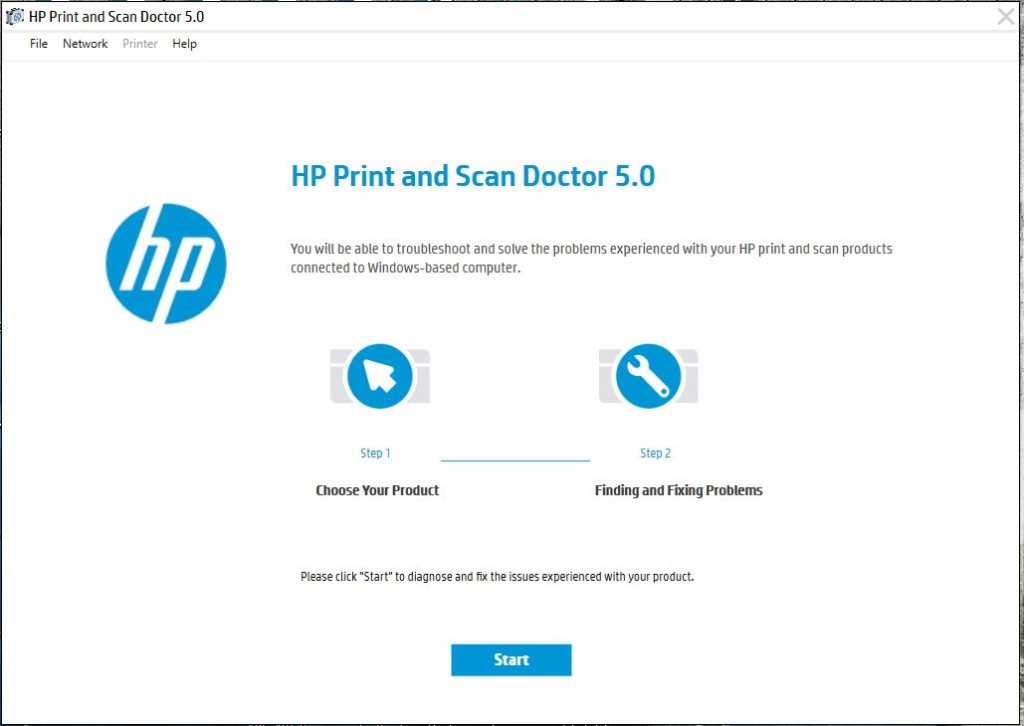
HP Print and Scan Doctor is a free, lightweight troubleshooter created by HP. Its purpose is to automatically diagnose and resolve the most common issues that prevent HP printers and scanners from functioning correctly. Instead of forcing users to dig through complex settings or rely on guesswork, the tool runs a series of automated checks to identify the root cause of a problem and then guides the user through a step-by-step fix.
This tool focuses on remediation over complex configuration, aiming to reduce downtime and restore reliable output quickly and efficiently. It’s designed to be a straightforward, go-to solution for frustrating printer errors.
Key Features and Functionality
Automatic Diagnostics
The core strength of HP Print and Scan Doctor is its ability to run a comprehensive suite of diagnostic tests automatically. Instead of the user having to figure out what’s wrong, the tool does the heavy lifting. It performs a series of targeted checks that directly correlate with the most frequent real-world breakdowns.
These diagnostics include:
- Connectivity Checks: The tool will test the connection between your computer and the printer, whether it’s over USB, a network, or wirelessly. It can detect broken links and guide you through re-establishing the connection.
- Driver Validation: Faulty or missing drivers are a common cause of printing problems. The utility checks the status of your HP printer drivers and can guide you through reinstallation or updates.
- Print Queue Reset: Sometimes, a single stuck print job can jam the entire system. The tool can clear the print queue, removing clogged tasks and allowing new ones to flow through.
- Spooler Health Check: The print spooler is the service that manages print jobs. The tool can check its health and restart it if necessary.
- Scan Path Validation: For scanning issues, the tool verifies the communication path between the scanner and the software, ensuring that devices respond properly.
Step-by-Step Guidance
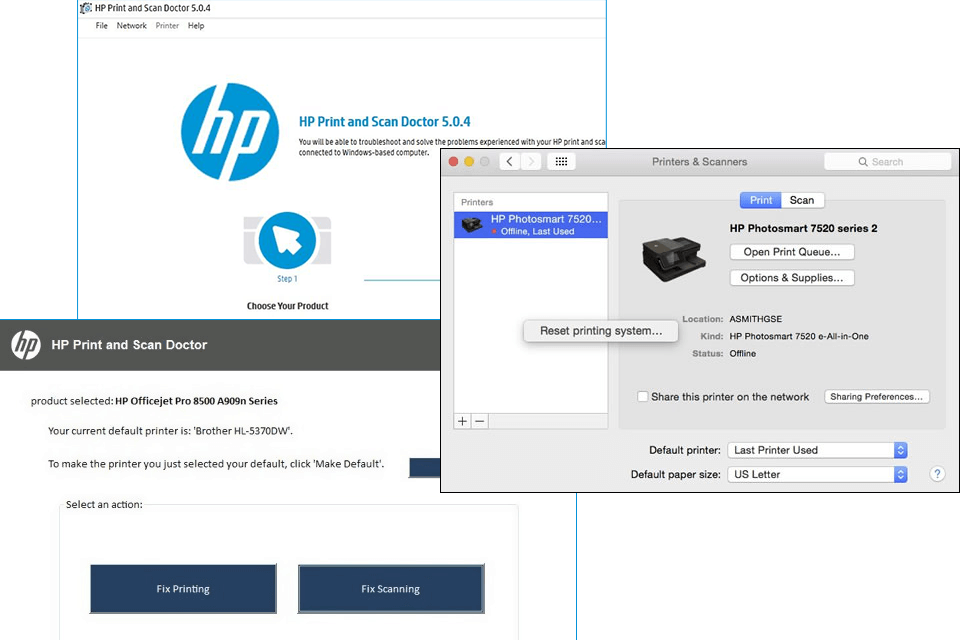
What sets this tool apart from a simple diagnostic is its guided remediation process. After each test, it provides clear pass-or-fail status indicators. If a failure is detected, it doesn’t just tell you something is wrong; it provides clear, actionable steps on how to fix it. This approach eliminates guesswork, making it easy for non-technical users to resolve problems that would otherwise require a support call.
Pros and Cons
Pros
- Guided Diagnostics: Provides clear, easy-to-understand pass/fail results and step-by-step instructions for fixing problems.
- Automated Fixes: Can automatically resolve common issues like clearing the print queue and restarting the spooler.
- Lightweight and Fast: The tool is small, quick to download, and runs without consuming significant system resources.
Cons
- Retired Software: HP no longer supports this tool and has directed users to the newer HP Smart app. It may not work with the latest printers or operating systems.
- Limited to Branded Devices: The tool only works with HP printers and scanners. It cannot help with any other brand.
- Cannot Fix Hardware Faults: The tool can only fix software, driver, and connection issues. It cannot overcome physical problems like a broken printer head or a paper jam caused by damaged parts.
The Retirement and Move to HP Smart
A critical piece of information for potential users is that the HP Print and Scan Doctor is now a retired product. HP’s official guidance is to use the “Diagnose & Fix” workflow available within the newer HP Smart application. This suggests that the core troubleshooting functionality has been integrated into the company’s primary software hub.
This means that while the tool can still be downloaded and may work for some users and older printers, it is no longer being actively developed or supported for the latest hardware and software environments. For users facing issues with a modern HP printer, the official recommendation is to install and use HP Smart.
Frequently Asked Questions (FAQs)
1. Is HP Print and Scan Doctor free to use?
Yes, HP Print and Scan Doctor is completely free to download and use.
2. Does HP Print and Scan Doctor work on all printers?
No, this utility is specifically designed for HP printers and scanners. It will not work with other brands.
3. What should I do if HP Print and Scan Doctor can’t fix my problem?
If the tool cannot resolve the issue, it may indicate a hardware problem, or an issue with a newer printer that is not supported. In this case, you should contact HP support or use the HP Smart application.
4. Why is HP Print and Scan Doctor being retired?
HP has consolidated its software offerings and integrated the core diagnostic and repair features into the newer HP Smart application. This provides a more unified and modern user experience.
5. What is the best way to get support for a modern HP printer?
HP recommends using the HP Smart application for support, which includes a “Diagnose & Fix” workflow that provides the same troubleshooting capabilities as the older Print and Scan Doctor.
Conclusion: A Legacy Tool for a Common Problem
HP Print and Scan Doctor was a highly effective and accessible utility for resolving common printer and scanner problems. Its guided, automated approach was a welcome solution to the frustration of printer errors. However, the software has been officially retired, and HP now recommends using the integrated troubleshooting tools within the HP Smart app. While it remains available for download and can still be a useful tool for older HP products, users with modern printers are better served by moving to HP Smart for ongoing support and diagnostics. It stands as a testament to the value of accessible, user-friendly software in the consumer tech landscape, even as its torch has been passed to a newer application.