iMazing 2026 – iOS Management Tool?
For years, iPhone and iPad users have faced a persistent challenge: managing the data on their devices without being locked into Apple’s iTunes ecosystem. Whether you want to back up your photos, transfer music, or simply access your files, the process can often feel restrictive. Enter iMazing, a powerful third-party software that promises to put you back in control of your iOS device. This comprehensive review will explore what iMazing is, its key features, and what users are saying about it in 2026.
What is iMazing?
iMazing is a desktop application for Windows and macOS that allows you to manage your Apple devices (iPhone, iPad, and even older iPod models) far beyond what iTunes or Finder offers . It’s a comprehensive iOS device manager that gives you more control over your data. Whether you want to back up your entire device, transfer files between your computer and iOS apps, or export specific data like text messages and call logs, iMazing aims to be the Swiss Army knife for iOS management . As of its latest version (2.16.9), the software continues to be developed and updated, making it a relevant tool for users with modern devices .
Key Features and Benefits
1. High-Speed Data Transfer
One of iMazing’s standout features is its ability to transfer data quickly. Users can move files between their computer and iOS device using either a USB cable or a Wi-Fi connection . This flexibility is a major advantage over more limited syncing methods, allowing users to choose the most convenient or fastest option for their needs.
2. Comprehensive Device Management
iMazing offers a wide array of management features that are not typically available through official Apple software . It allows you to:
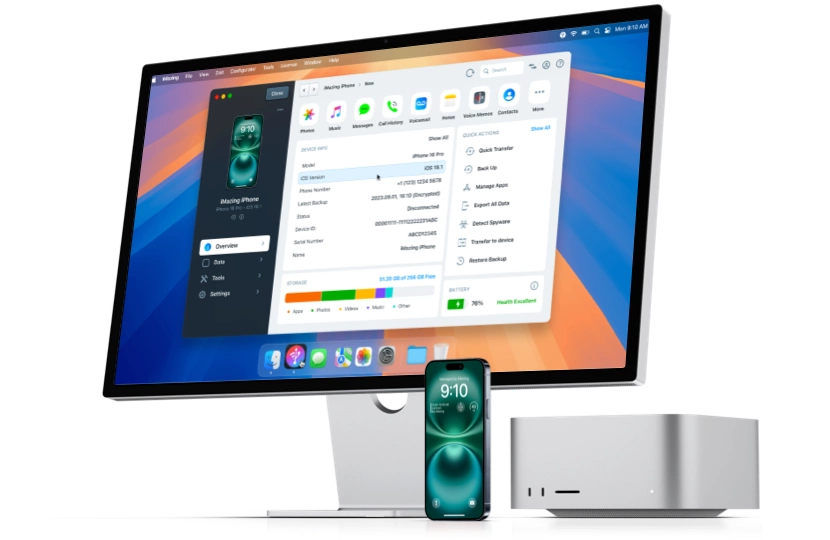
- Backup and Restore: Create full backups of your device that are more accessible and customizable than iTunes backups.
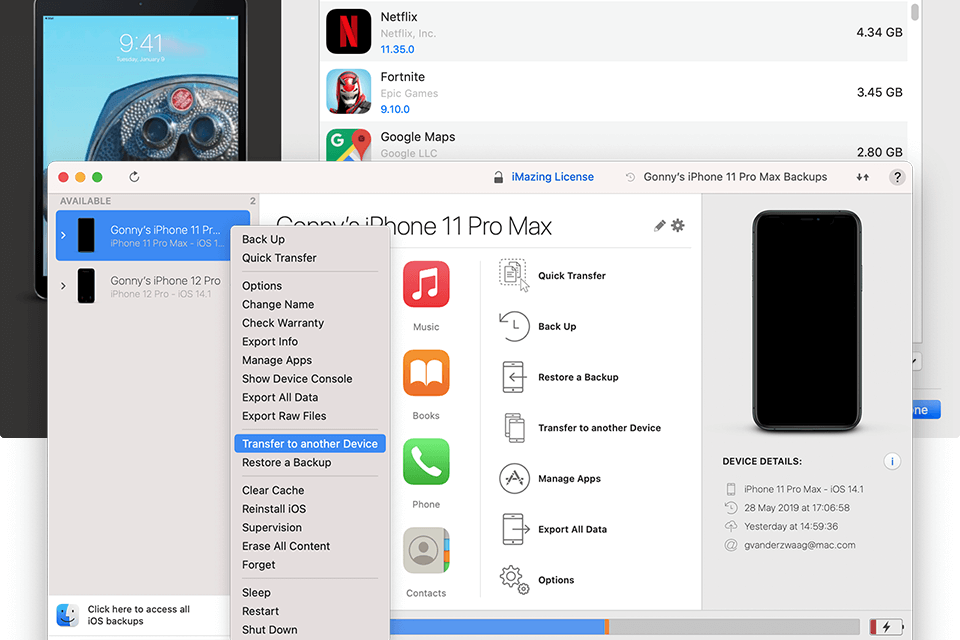
- File Transfer: Browse the file system of apps on your iOS device, allowing you to copy documents, media, and data to and from your computer.
- Export Data: Save specific data like your text messages (SMS), contacts, call history, and voicemails to your PC.
- Manage Media: Transfer music, photos, and videos between your device and computer.
3. Device-to-Device Transfer
Another powerful feature is the ability to transfer data directly between two Apple devices . For example, you can copy your contacts or game high scores from an old iPhone to a new iPad, making device upgrades much smoother.
4. Compatibility
iMazing is compatible with a wide range of Windows operating systems, from Windows 7 through to Windows 11, making it accessible to users who may not be on the absolute latest version of Windows. Its ability to work with both Mac and Windows makes it a versatile tool for users in mixed-OS environments.
Pros and Cons at a Glance
Here is a quick summary of the advantages and disadvantages of iMazing:
Pros
- High-Speed Data Transfer: Fast and efficient transfer of files via USB or Wi-Fi.
- Comprehensive Management: Offers a wide range of features for backing up, exporting, and managing iOS data.
- Cross-Platform: Works on both Windows and Mac computers .
- Supports Legacy Devices: Can manage older iPods and devices, which is a significant plus for users with a history of Apple products.
- Easy to Use: Many users praise its clean, intuitive interface.
Cons
- Cost for Full Features: iMazing is not free. While there is a trial, you must pay for the full version to use all features, including data transfer and exports. However, students with a valid .edu email can get it for free.
- Paid Updates: A significant complaint is that users sometimes have to pay for major updates to maintain compatibility with new iOS versions.
- Potential for Technical Issues: Some users have reported problems with file transfers or system stability, and support has been described as slow at times .
What Users Are Saying
The user reviews for iMazing are mixed, reflecting the broad range of experiences people have had with the software.
The Positive Feedback
Many users are extremely satisfied with the software. They praise its seamless installation, its ability to automatically download necessary Apple drivers without requiring iTunes, and its clean, user-friendly interface . Users appreciate the power and control it gives them, enabling tasks that are otherwise impossible or very difficult, like copying music from an iPod or backing up game high scores . Several reviewers highlight the ability to copy SMS messages, contacts, and call history, and one user even noted that students with a .edu email can get the software for free, which is a great perk.
The Negative Feedback
On the other hand, there are some significant criticisms. The most common and serious complaint is the forced paid upgrades. One reviewer expressed frustration at having to pay for an update less than a year after purchase to maintain compatibility with a new version of iOS . This is a recurring issue for many that feels like an unfair cost for maintaining software functionality.
Another area of concern is the quality of support. A reviewer described their experience with the help desk as “extremely slow” and unhelpful, and even noted that their negative feedback on social media was removed . There are also reports of technical problems, such as the software not transferring files properly, leading to a full refund request. Some users also feel that the basic file transfer features are not worth the price, as they can often be done for free using iTunes or directly through the file explorer.
Conclusion
iMazing is a powerful and feature-rich tool that offers a level of control over iOS devices that many users will find invaluable. Its ability to quickly transfer data, manage files, and export specific information makes it a far more flexible solution than iTunes. The cross-platform compatibility and support for legacy devices are also significant pluses.
However, potential buyers should be aware of the criticisms. The paid updates and the occasional reports of technical issues and subpar support are important factors to consider. For those who rely heavily on their iOS devices for work or personal data management, the features may very well justify the cost. For more casual users who only need simple file transfers, the free alternatives might be sufficient. Ultimately, iMazing is a robust tool that, for many, will be a welcome addition to their software library, but it pays to go in with your eyes open about its limitations and pricing model.
Frequently Asked Questions (FAQs)
1. Is iMazing completely free to use?
No, iMazing is not completely free. While it offers a trial, you must pay for a license to unlock the full functionality, including file transfers and data exports. There is, however, a notable exception: students with a valid .edu email address can obtain the software for free.
2. What can I do with iMazing that I can’t do with iTunes?
iMazing offers much more flexibility than iTunes. You can transfer files between your computer and individual apps, export specific data like text messages and call logs to your PC, copy data directly from one iOS device to another, and manage your files more intuitively. It also allows you to transfer music from an iPod back to a computer, which iTunes does not permit.
3. Does iMazing work on both Windows and Mac?
Yes, iMazing is available for both Windows and Mac operating systems. This makes it a great choice for users who work with both platforms or have computers running different OSes.
4. What are the main complaints about iMazing?
The most common complaints are the need to pay for upgrades to maintain compatibility with new iOS versions, occasional technical glitches with file transfers, and experiences with slow or unhelpful customer support.
5. Is iMazing safe to use?
Generally, iMazing is considered safe. It is a legitimate, widely-used software for iOS management. However, as with any software that accesses your device’s data, it is important to download it from the official website or a trusted source like CNET Download to ensure you are getting a secure, authentic version.
6. What is the current pricing model for iMazing?
iMazing transitioned to a subscription model in June 2025, discontinuing the previous device-based perpetual licenses. The Personal Subscription allows connection of up to 20 devices per year, with device slots becoming available again after 270 days of inactivity. Business Subscriptions are also available with more device slots and additional features like iMazing Configurator and CLI capabilities. Pricing for the full version starts at approximately $39.99.
7. Can I back up my iPhone to an external drive or network drive using iMazing?
Yes, unlike Apple’s default backup system which restricts backups to your computer’s system drive, iMazing allows you to choose any backup location. You can save backups to external hard drives, network-attached storage (NAS), or specific folders/partitions. This gives you much more flexibility in managing storage space and keeping backups secure.
8. Does iMazing support the latest iOS versions and new iPhone models?
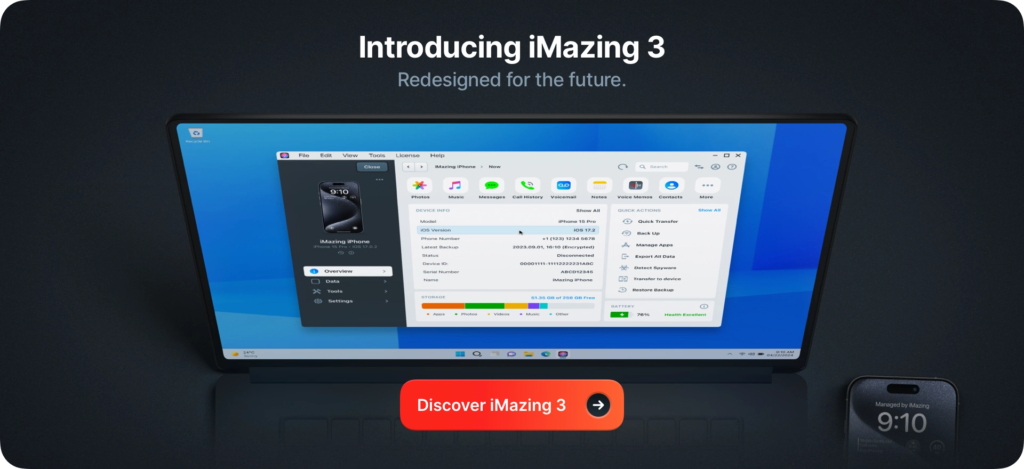
Yes, iMazing is regularly updated to support new Apple operating systems and devices. For example, version 3.4 introduced full support for iOS 26, macOS 26, and all iPhone 17 models, as well as new Apple Watch models. The developers maintain ongoing compatibility with the latest Apple releases.
9. What types of data can I export with iMazing?
iMazing allows you to export a wide range of specific data from your iOS device, including text messages, call logs, voicemail, voice memos, and notes. You can also export WhatsApp messages, including message history, media files, and attachments. Unlike iTunes, iMazing provides granular control over what data you extract and where you save it.
10. Does iMazing work wirelessly?
Yes, iMazing supports Wi-Fi connectivity for wireless backups and data transfers. However, the initial connection typically requires a USB cable to set up wireless syncing. Once configured, you can perform automatic, scheduled backups without needing to physically connect your device.
11. What should I do if iMazing doesn’t recognize my iOS device?
If iMazing fails to recognize your device, try these troubleshooting steps:
- Use a different USB port or cable, and avoid connecting through a USB hub
- Check for software updates on both your computer and iOS device
- Reset Location & Privacy settings on your device (Settings > General > Reset > Reset Location & Privacy)
- Temporarily disable third-party security software that might block the connection
The vast majority of connection issues are resolved by these steps.
12. Can I use iMazing to transfer music from an iPod back to my computer?
Yes, this is one of iMazing’s standout features. Unlike iTunes, which does not permit transferring music from an iPod back to a computer, iMazing allows you to copy music and other media files from any iOS device to your PC or Mac. This is particularly useful for recovering music libraries from older devices.