ASRock Polychrome RGB Sync Review- Illuminate Your PC Build
Discover ASRock Polychrome RGB Sync software to customize and sync RGB lighting across your PC. Learn about features, compatibility, and Razer Chroma integration.
Introduction: Personalizing Your PC’s Aesthetic
The era of generic, beige computer cases is long gone. Today, building a PC is as much about personal expression and visual impact as it is about raw performance. Lighting has become a central element of modern PC design, allowing users to create a setup that reflects their unique style. ASRock Polychrome RGB Sync is a software solution designed to put you in full control of your system’s lighting. This review explores what the software can do, who it is for, and what you need to know to get the most out of it.
What is ASRock Polychrome RGB Sync?
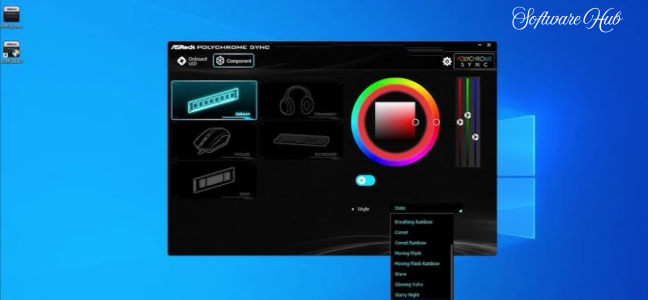
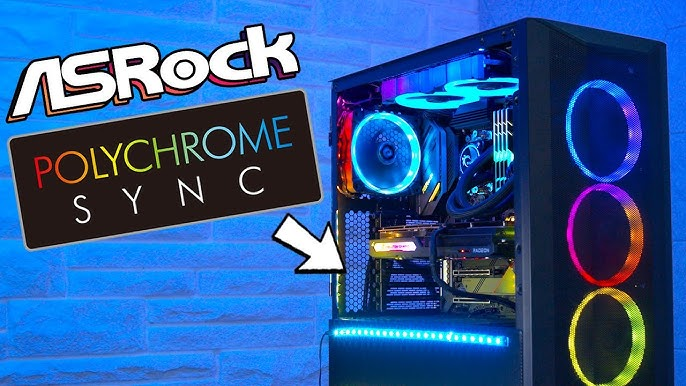
ASRock Polychrome RGB Sync is a free utility developed by ASRock to manage and customize the RGB lighting on your PC. It is designed to work as a central command center, allowing users to control not only their motherboard’s built-in lighting but also synchronize it with other compatible components.
The software allows you to create dynamic and visually striking setups, moving beyond simple static colors to offer a range of effects and patterns that can make your computer feel alive and responsive. Whether you are building a gaming rig, a workstation, or just want a more visually appealing PC, Polychrome RGB Sync provides the tools to achieve that personalized look.
Key Features and Capabilities
Deep Lighting Customization
At its core, the software gives you extensive control over your motherboard’s RGB lighting. The level of customization is far more granular than basic options, allowing you to:
- Adjust Colors and Effects: You can meticulously select from a wide color palette, choose specific lighting zones, and apply various dynamic effects.
- Target Specific Areas: The software often allows for per-zone or per-header control, letting you highlight different areas of your motherboard with different colors or patterns.
- Create Unique Patterns: From breathing effects and color cycles to strobing and static colors, you can craft a lighting scheme that truly stands out.
Polychrome SYNC for Unified Control
The true power of the software lies in its synchronization capabilities. The Polychrome SYNC function extends lighting control beyond the motherboard to other compatible components.
- Unified Ecosystem: This allows you to synchronize the lighting on your RAM, graphics card, cooling fans, and other accessories, creating a cohesive and unified look across your entire system.
- Seamless Integration: The goal is to make all your lights work together in harmony, with a single interface to manage everything.
Polychrome-Certified Devices
To guarantee a seamless experience, ASRock offers a “Polychrome-certified” program. These are components that have been officially verified by ASRock to ensure optimal performance and full compatibility with the software.
- Guaranteed Performance: Certified devices are tested to work flawlessly with Polychrome RGB Sync, ensuring the intended lighting effects work without common syncing issues like flickering or inconsistent colors.
- A Selective Ecosystem: While beneficial, this certification highlights a consideration for users. If you have a mix of non-certified hardware, you might encounter limitations or inconsistencies when trying to achieve a perfectly synchronized setup.
Razer Chroma Integration
ASRock Polychrome RGB Sync boasts full support for Razer Chroma. This feature is particularly exciting for gamers, as it promises an immersive experience where in-game actions and events can dynamically influence your system’s lighting.
- Immersive Gameplay: Imagine your keyboard, mouse, and case lights flashing red when you’re low on health or pulsing with your in-game abilities.
- Dependency on Peripherals: While impressive, this deep immersion largely hinges on owning Razer Chroma-compatible peripherals, potentially limiting the experience for those without such gear.
How to Use the Software
Getting started with ASRock Polychrome RGB Sync is designed to be straightforward, even if you are new to PC customization.
- Download and Install: First, ensure you are using a compatible ASRock motherboard. Download the latest version of the software from the ASRock official support website.
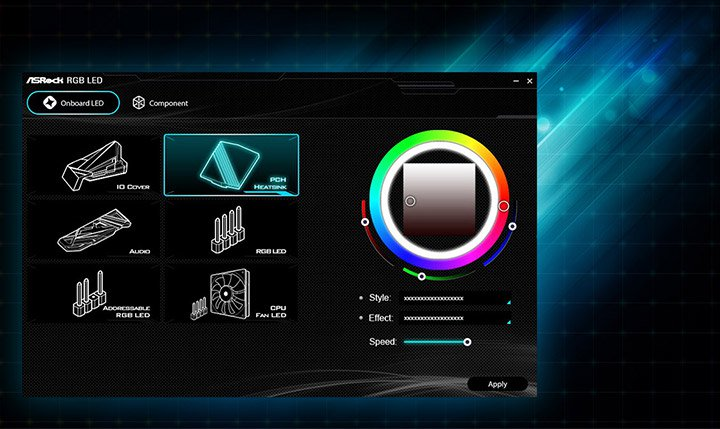
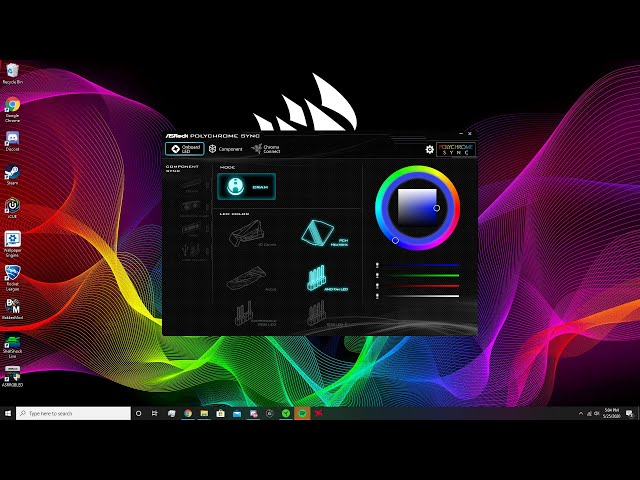
- Interface Overview: Once launched, you will be presented with a user-friendly interface. The layout is generally intuitive, making it easy to navigate through different lighting zones and settings.
- Select a Lighting Zone: The software will typically display a visual representation of your motherboard and connected devices. Click on the specific lighting zone you want to customize (e.g., the chipset heatsink, RGB header, or a compatible component).
- Choose an Effect and Color: For your selected zone, you can choose from a variety of lighting effects. These range from static colors to dynamic modes like “Rainbow,” “Breathing,” “Strobe,” and “Color Cycle.” You can then select your desired colors.
- Synchronize Your Devices: To sync all your devices, use the “SYNC” function. This will apply a unified lighting scheme across all connected and compatible components.
- Explore Razer Chroma Integration: If you have Razer Chroma-compatible peripherals, enable the integration feature to allow your lighting to react to compatible games and software.
Benefits and Drawbacks
Pros
- Extensive Customization: Offers deep control over motherboard lighting with a variety of effects and patterns.
- Seamless Synchronization: Allows you to create a unified lighting theme across all certified components.
- Dynamic Gaming Integration: Razer Chroma support adds an immersive layer to gaming, with lighting reacting to in-game events.
- Intuitive Control: The user-friendly interface makes it easy to manage colors, effects, and synchronization.
Cons
- Varying Effect Quality: The range and sophistication of lighting effects can vary significantly depending on the specific hardware you own.
- Selective Compatibility: To guarantee the best performance, you may need to invest in a system built primarily with Polychrome-certified devices.
- Peripheral Dependency: The full Razer Chroma experience requires owning compatible Razer peripherals.
Who Is This Software For?
ASRock Polychrome RGB Sync is an excellent choice for a specific group of users:
ASRock Motherboard Owners
The software is essential for anyone with a compatible ASRock motherboard who wants to fully utilize its lighting features and customize their system’s look.
RGB Enthusiasts
If you love the aesthetics of a lit-up PC build and want to take control of your lighting, this is a powerful and accessible tool.
Gamers
With its Razer Chroma integration, gamers who have the compatible peripherals will find it enhances their gameplay by making their lighting a dynamic part of the gaming experience.
Frequently Asked Questions (FAQs)
1. Is ASRock Polychrome RGB Sync free to use?
Yes, the software is completely free to download and use for owners of compatible ASRock motherboards.
2. What is the purpose of ASRock Polychrome RGB Sync?
The software is designed to provide a centralized platform for customizing and synchronizing the RGB lighting on your ASRock motherboard and other compatible PC components.
3. What are Polychrome-certified devices?
These are components from other brands that have been officially verified by ASRock to guarantee full compatibility and optimal lighting effects with the Polychrome RGB Sync software.
4. Can I sync my non-Razer peripherals with my ASRock motherboard using this software?
Yes, the software is designed to synchronize lighting across various compatible components like RAM, fans, and graphics cards. The Razer Chroma feature is a specific integration for Razer-branded peripherals.
5. Will the Razer Chroma integration work with any game?
The integration works with games and applications that have been specifically designed to support Razer Chroma. The effect will depend on the game’s implementation.
Conclusion: A Powerful Tool for PC Customization
ASRock Polychrome RGB Sync is a comprehensive solution for anyone looking to elevate their PC’s aesthetics. It offers a robust and intuitive platform for deep lighting control and synchronization, allowing users to create a truly personalized and dynamic setup. Its unique integration with Razer Chroma adds an exciting dimension for gamers.
While the overall experience can depend on your specific hardware selection and ecosystem, for users invested in the ASRock platform, the software provides a powerful and effective way to transform your computer from a simple machine into a visually captivating centerpiece.