PassFab iPhone Unlocker Review- A Lifeline for Locked Devices
Read our detailed review of PassFab iPhone Unlocker for Windows. Learn how this tool removes screen passcodes, Apple ID, and MDM locks, what it costs, and key data loss warnings.
Introduction: The Dreaded “iPhone Unavailable” Screen
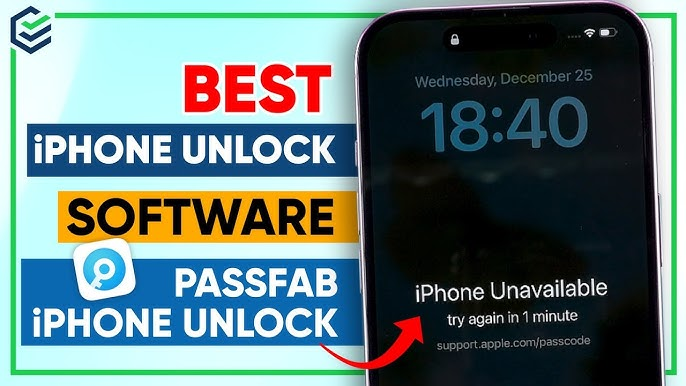
We’ve all been there—or at least feared it. You pick up your iPhone, enter your passcode from muscle memory, and suddenly see the heart-stopping message: “iPhone is Disabled. Try again in 1 minute.” The panic sets in, quickly followed by the dread of losing precious photos, contacts, and data. If you’ve ever faced this sinking feeling, you’re not alone. PassFab iPhone Unlocker is a software toolkit designed to help users regain access to their devices when they’ve forgotten a passcode, lost their Apple ID credentials, or are stuck with a device locked by a Mobile Device Management (MDM) profile. This review explores its features, risks, and whether it’s the right solution for your iPhone emergency.
What Is PassFab iPhone Unlocker?
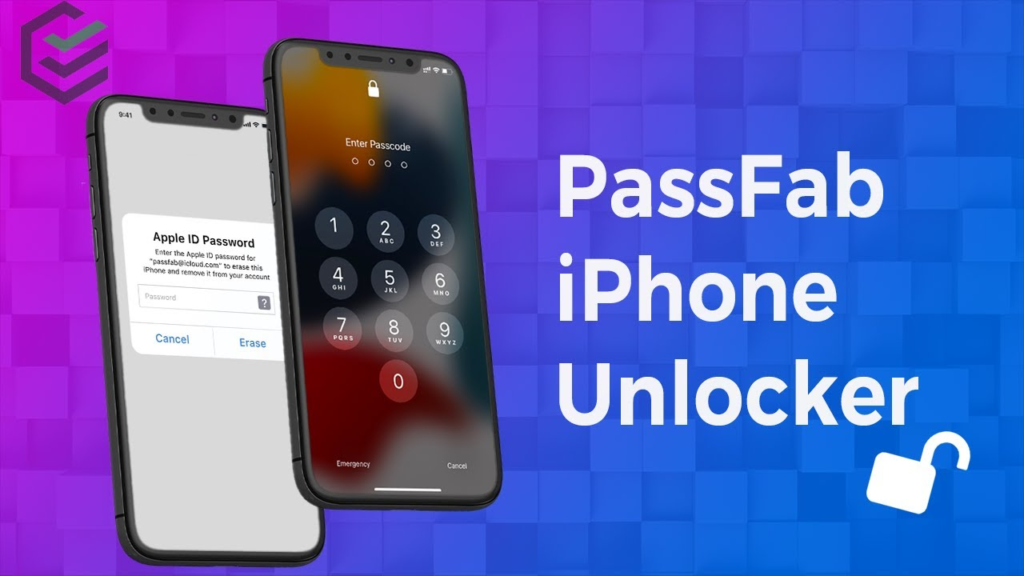
PassFab iPhone Unlocker is a security software developed for Windows operating systems that provides a solution for removing various types of locks from Apple devices without needing to visit a repair shop or Apple Store . It is specifically designed to tackle four primary issues:
- Screen Passcode Removal: Forgotten 4-digit or 6-digit passcodes, Touch ID, or Face ID.
- Apple ID Removal: When you’re locked out of an iCloud account linked to a device.
- Screen Time Passcode Removal: Forgotten restrictions passcodes that limit app usage.
- MDM Bypass: Removing corporate or school management profiles that restrict device functionality .
The tool is marketed towards a wide audience, from everyday consumers who simply forgot their password to businesses needing to repurpose old devices. The current version, 2.6.7.0, advertises optimization for the latest iPhone 17 series and full compatibility with iOS 26 .
How Does It Work?
The software is celebrated for its user-friendly design, which guides users through a simple process . This is a significant selling point, as competing solutions often involve complex technical steps that can be intimidating for non-technical users. While the specific steps vary depending on the type of lock, the general workflow involves:
- Connect your iPhone to your Windows PC via a USB cable.
- Select the unlocking mode you require on the software interface.
- Download the necessary firmware package for your specific device model and iOS version.
- Click “Start” or “Unlock” and follow the remaining on-screen prompts.
Crucially, for many of the most common uses (like removing a screen passcode or Apple ID), the software does not require jailbreaking the iPhone , meaning your device warranty remains intact, and you don’t have to risk the security and stability issues that come with jailbreaking.
What Can It Unlock? Key Features Explained
Removing the Screen Passcode
This is the core function of the tool. It can bypass not only simple numerical codes but also Touch ID and Face ID . The software works by placing the iPhone into recovery mode and then erasing the device, which removes the passcode along with all user data . After the process, you can set up the iPhone as new or restore your data from an iCloud or iTunes backup.
Bypassing the Apple ID
Forgetting an Apple ID password is a common problem, and Apple’s account recovery process can be tedious. PassFab claims to be able to bypass the Activation Lock screen that appears when you try to set up a device tied to an unknown Apple ID . This is particularly useful if you’ve purchased a used iPhone and the previous owner didn’t remove their account, or if you simply can’t remember your own credentials. However, a critical limitation is that this feature is only compatible with devices from the iPhone 5S up to the iPhone X . Newer models are not supported for this specific bypass, according to the review .
Bypassing Screen Time Passcode
Parents sometimes set a Screen Time passcode to limit children’s device usage, only to forget it themselves later. Similarly, users might set a restriction passcode and then forget it, locking themselves out of certain apps and settings. PassFab claims it can remove this passcode without erasing any personal files on the device . This is a major advantage compared to the screen passcode removal, which results in total data loss.
Bypassing MDM (Mobile Device Management) Lock
MDM locks are profiles often installed by schools or employers on company-owned devices to enforce security policies. If you leave an organization and your device is still locked by their MDM profile, it can be effectively useless. PassFab can bypass this MDM lock, freeing the device for personal use. Like the Screen Time removal, this process is also reported to unlock the device without wiping your data .
The Crucial Catch: Understanding Data Loss
This is perhaps the most important section of this review. PassFab iPhone Unlocker is not a magic wand that works for every problem without consequences. The critical distinction to understand is when data loss occurs:
- Screen Passcode Removal (Touch ID / Face ID): This process will erase all data on the iPhone. It will reset the device to factory settings, and your photos, messages, and app data will be lost if you haven’t backed them up. The review states: “the unavoidable reality is that unlocking a forgotten screen passcode through this method will erase all local data” . The tool even warns you about this risk before you proceed. Therefore, this feature should only be used as a last resort when you have a recent backup.
- Apple ID / iCloud Activation Lock Removal: This process also results in total data loss, similar to the screen passcode removal.
- Screen Time and MDM Passcode Bypass: These are the exceptions. In these modes, the software can remove the restriction without deleting any of your existing data or settings.
Compatibility: What Devices Does It Support?
PassFab boasts broad compatibility with the latest Apple ecosystem, but it’s essential to understand the details. According to the source review:
- General Unlocking: The software supports iOS 15 through the latest iOS 26, and devices from the iPhone 4S up to the newest iPhone 17 .
- Apple ID Bypass: This specific feature has a more restrictive compatibility list, only working on iPhone 5S through iPhone X .
- Operating System: It requires Windows 7, 8, 8.1, 10, or 11 .
Pros and Cons
To summarize, let’s look at the advantages and disadvantages of PassFab iPhone Unlocker.
Pros:
- Intuitive Interface: Its three-step process is designed for non-technical users, making it easy to navigate even under the stress of a locked phone .
- No Jailbreak Required: For most features, including screen passcode and Apple ID removal, you don’t need to jailbreak your device, preserving security and warranty .
- Data Preservation for Some Features: The Screen Time and MDM removal features do not erase your data, which is a valuable advantage.
- Supports Latest Hardware and iOS: The tool is kept up-to-date to support the newest iPhones and software, so you don’t have to worry about incompatibility.
- Solves Multiple Problems: It’s a multi-purpose toolkit that addresses four common locking scenarios.
Cons:
- Total Data Loss for Screen Lock: Using the tool to remove a forgotten screen passcode will factory reset the device, resulting in the complete loss of all local data .
- Limited Apple ID Bypass: The Apple ID bypass feature is only compatible with older iPhones (iPhone 5S to iPhone X) . Users with newer devices will need other solutions.
- Paid Software: While we haven’t discussed pricing, it’s important to note this is a paid product with no free version for unlocking. The ‘free’ download offers limited functionality.
- Trust and Security: Using third-party software to access a locked device requires a high degree of trust. Users must ensure they download it from a legitimate source to avoid malware.

Frequently Asked Questions (FAQs)
1. Is there a free version of PassFab iPhone Unlocker?
You can download PassFab iPhone Unlocker for free to try. However, the free version’s functionality is typically limited to scanning and detecting the device. To actually remove a lock, you will need to purchase a license.
2. Will it work if I don’t know my Apple ID password?
Yes, PassFab has a specific “Remove Apple ID” mode designed for situations where you don’t know the password and are logged out of your iCloud account. It can bypass the Activation Lock screen for supported devices (iPhone 5S to iPhone X).
3. Does it work on the iPhone 14 with iOS 16?
The software supports a wide range of devices and iOS versions. According to the review, the latest version (2.6.7.0) supports the iPhone 17 series and iOS 26, so it should be compatible with older models like the iPhone 14. However, the Apple ID removal function does not work on newer models past the iPhone X.
4. Do I need to turn off “Find My” before using it?
For the passcode removal process, “Find My” (also known as Activation Lock) must typically be turned off. If you’re locked out of your device, you may need to turn it off via iCloud.com or by using the “Remove Apple ID” function first.
5. What should I do if the unlocker gets stuck at 20%, 50%, or another percentage?
It is common for these types of tools to appear stuck during the firmware download or process. It is crucial to be patient and not disconnect the device. The process can take several minutes. If it fails after a long wait, checking your internet connection for a stable download is a good first step.
Conclusion: An Effective Solution with a Clear Warning
PassFab iPhone Unlocker is a robust and effective tool that simplifies complex iOS decryption tasks into a user-friendly process. It stands out for its clean interface, support for the latest Apple hardware, and ability to handle multiple types of locks, including Screen Time and MDM without data loss. For users facing a locked device with a forgotten passcode, it is a valuable, powerful, and convenient tool.
However, the most critical takeaway is the significant risk of permanent data loss when removing a standard screen passcode. This tool is a lifeline, not a miracle cure, and regular iCloud or iTunes backups are your only safety net against that risk. While its Apple ID bypass has limitations for newer iPhone models, for its core purpose—making a locked, inaccessible device functional again—it delivers admirably.
For those locked out of their iOS device without a backup, the choice is not a pleasant one. PassFab iPhone Unlocker provides a practical, albeit potentially costly, path to recover a functional phone, even if the data on it cannot be saved.